Bring the data together.
Load from databases, files, object storage and HTTP APIs. Move data into and out of supported warehouses as part of the pipeline.
Data loading renart
Open source data platform
curl -LsSf getrenart.com/install.sh | shPublic alpha Apache 2.0 · Runs locally
Renart is an open source data platform for moving, transforming and analyzing data across your data stack.
Build and run SQL and Python pipelines alongside notebooks and dashboards in one visual workspace, with type checking, scheduling and everything defined as code in Git.
Take a look insideDiscover. Start from the data you already have. Browse every connected warehouse and file, then drag a table onto the canvas. Build. Build on a canvas, in plain SQL. Add steps visually. Table names in your SQL become the dependencies. Intellisense. Complete columns, not guesses. Column-level completions with types that flow from upstream assets. Type check. Catch mistakes as you type. The whole pipeline is type-checked before anything runs. Jinja. Template with Jinja. Variables complete and render inline, and the rendered SQL is checked too. Run. Run it, see the results. Every asset reports fresh data, row counts and output types. Staleness. Only rebuild what changed. Edits mark downstream assets stale. Build stale skips everything still fresh. Deploy. Review it, then ship it. Review the changes, then deploy a version for your schedules to run. Schedule. Schedule it and move on. Runs every morning in prod from the deployed version, and catches up after downtime.
Renart is in public alpha. Expect rough edges and changes before the first stable release. What to expect
The entire data workflow
Load from databases, files, object storage and HTTP APIs. Move data into and out of supported warehouses as part of the pipeline.
Data loadingDevelop transformations with type checking and intelligent completion. Connect the assets, inspect the results and schedule the work.
Pipeline developmentExplore data in notebooks and build dashboards and reports. Keep the analysis and its definitions alongside the pipelines in Git.
Notebooks and analysisBuilt for the next change
A pipeline is easier to maintain when the code, dependencies and results are in view together.
Explore the asset editor
Get SQL and Python diagnostics and completion in the editor. Check known columns and types before running against your database.
Follow dependencies on the canvas. Staleness highlights changed definitions and downstream assets that may need rebuilding.
Preview SQL results with Inspect, review the file diff and choose what to materialize. Scheduled runs use a deployed snapshot.
One workspace, shared definitions
Move between pipelines, notebooks and scheduled runs with the same assets, schemas and dependencies.
Load
Choose a source, destination and load mode in the workspace. Make the transfer part of the pipeline, alongside its transformations.
Databases, files and object storage
Read the docs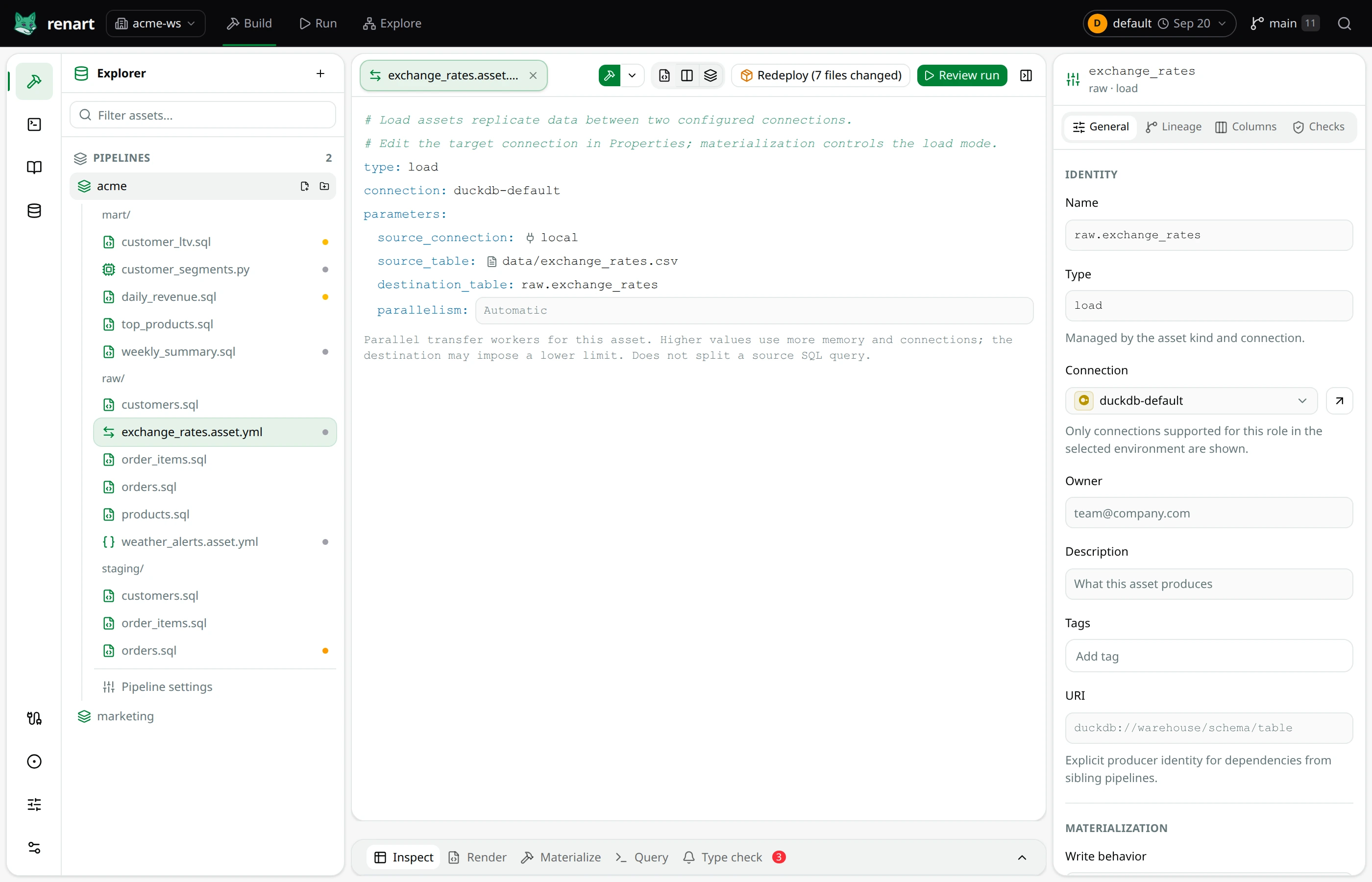
Local first. Defined in Git.
Start locally with DuckDB or connect to your databases and warehouses. Bring in files, object storage and HTTP API data where the workflow needs it.
Pipelines, notebooks, dashboards, reports and schedule definitions are plain files. Visual edits become changes you can review, commit and revert in Git.
How Renart stores your workNo Renart account or hosted control plane is required. You choose the systems Renart connects to. Credentials and machine-local run history stay separate from authored definitions.
Security and privacyStart with a local pipeline
Open a Git repository, build a small pipeline and see how the workflow fits.
Follow the quickstartcurl -LsSf getrenart.com/install.sh | shInstallation options for Linux, macOS and Windows