
Python assets
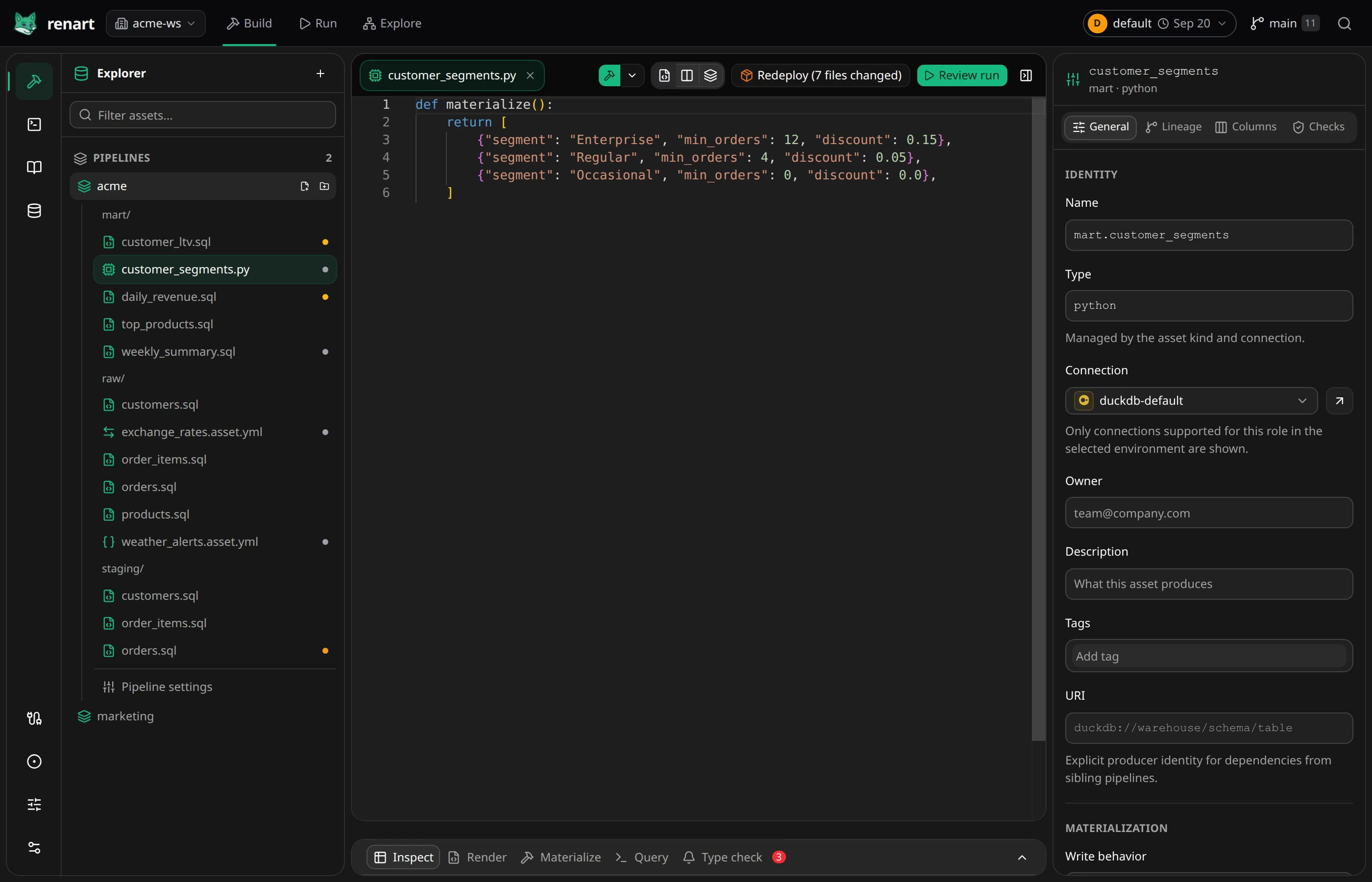
A Python asset runs a script as part of the pipeline — for anything SQL can’t express: calling a library, scoring a model, reshaping data with pandas.
Create one
Section titled “Create one”On the canvas, add an asset and choose Python. The asset starts with a
materialize() function — that’s the contract:
import pandas as pd

def materialize():    return pd.DataFrame(        [            {"customer_id": 1, "customer_name": "Ada Lovelace"},            {"customer_id": 2, "customer_name": "Grace Hopper"},            {"customer_id": 3, "customer_name": "Katherine Johnson"},        ]    )
When the asset materializes, Renart runs the file and writes whatever
materialize() returns — a DataFrame or a list of dicts — to the target
table, like any other asset.
Query project data
Section titled “Query project data”Use the built-in renart SDK to read another asset without putting connection
credentials in your Python process:
from renart import context, query

def materialize():    orders = query(        "select customer_id, total_amount from staging.orders",    ).to_pandas()    return orders.groupby("customer_id", as_index=False)["total_amount"].sum()
query() accepts one read-only SELECT and returns a PyArrow Table. Call
.to_pandas() as above, or pass format="pandas", when you want a pandas
DataFrame. It uses the asset’s connection by default;
connection="warehouse-name" reads through another connection defined in the
project. Renart executes the query inside the runner, so the Python process
receives the result but never the connection credentials.
The context object exposes the current run window, run ID, pipeline variables,
asset name, and full-refresh state.
Dependencies and lineage
Section titled “Dependencies and lineage”Renart can’t infer upstreams from Python the way it does from SQL. Declare
them in the properties panel’s Lineage tab; the asset then runs after
its upstreams and appears in the lineage like every other node. If a literal
query() reads another project asset without a matching dependency, Type
check warns about it. During a run, query() waits when a declared upstream
is still materializing rather than reading a half-written table.
Packages
Section titled “Packages”Python assets run in the project’s local virtualenv. When you import a package that isn’t declared yet, the editor shows a banner offering to add it to the project’s dependencies with one click — the same flow notebooks use.
Editing support
Section titled “Editing support”The editor gives Python assets diagnostics, completions, hover, and go-to-definition, alongside the usual Inspect/Materialize flow in the results panel.
Related
Section titled “Related”- SQL assets — the default choice when a query can do the job.
- Notebooks — for exploration before the logic earns a place in the pipeline.