
SQL assets
A SQL asset is a query that produces one table or view. You write the
SELECT; Renart handles where the result lands, when it runs, and how it
connects to the rest of the pipeline.
Create one
Section titled “Create one”On the canvas, add an asset and choose SQL. Name it
<folder>.<name> — for example staging.orders — and that name is how
downstream queries reference it.
Write the query
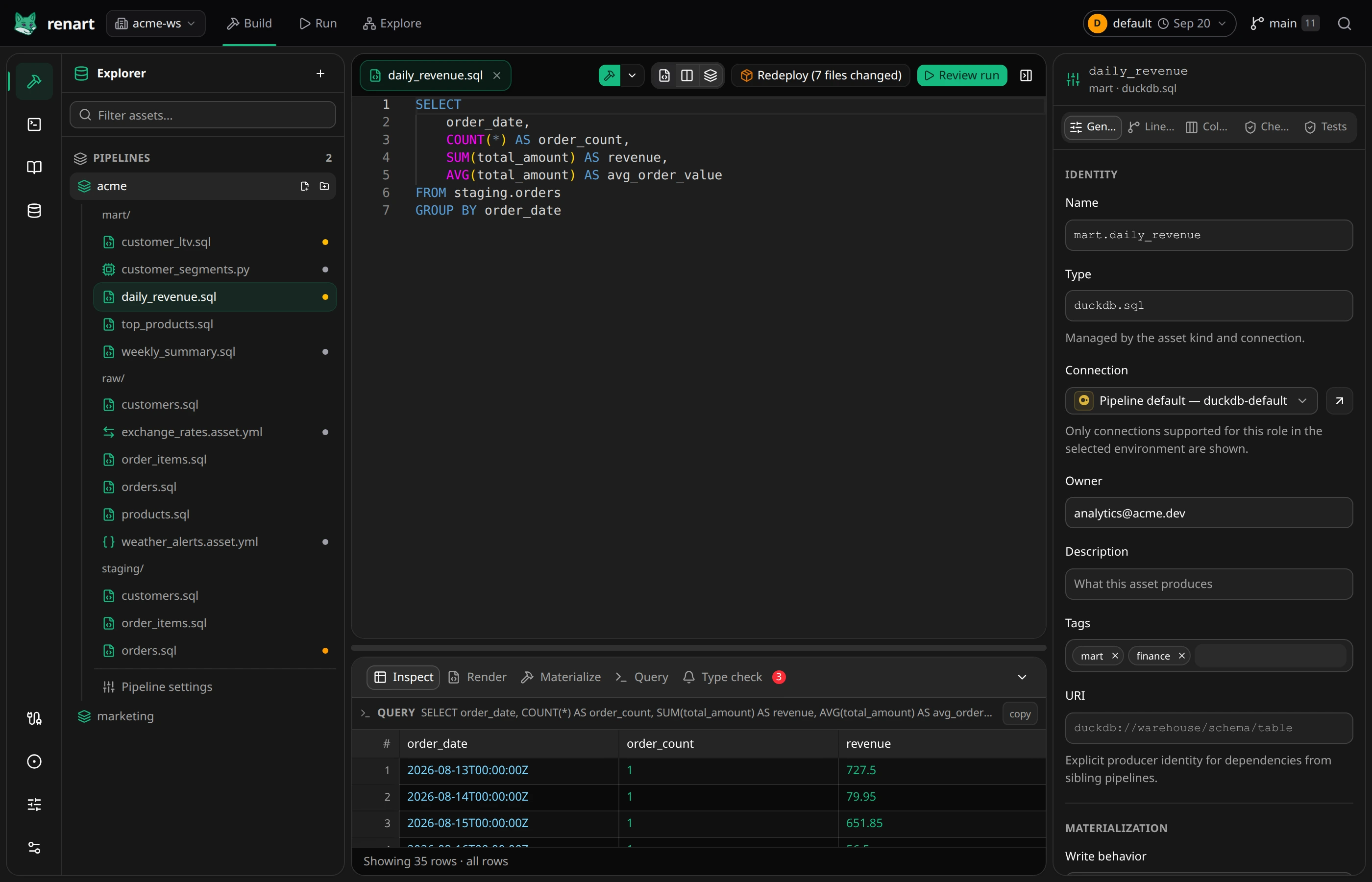
Section titled “Write the query”The editor knows your pipeline: completions offer upstream tables and their columns with types, unresolved references are flagged as you type, and Format SQL keeps the style consistent. A typical asset is just a query:
SELECT o.order_id, o.customer_id, c.customer_name, o.order_date, o.status, o.total_amountFROM raw.orders oJOIN raw.customers c USING (customer_id)WHERE o.status != 'refunded'Referencing raw.orders in FROM or JOIN is all it takes to depend on
it — Renart infers the dependency and draws the edge on the canvas.
Unqualified names resolve to the matching asset when it’s unambiguous. For
relationships the SQL can’t express, add a manual dependency in the
properties panel’s Lineage tab.
The editor can also complete tables positively observed on the selected warehouse. Using one is allowed but highlighted as an external-relation warning. Choose Import source asset from the warning or Type check to review the exact table name, connection, path, and columns before adding it to the project.
Metadata in the workbench
Section titled “Metadata in the workbench”Everything about the asset that isn’t the query lives in the workbench tabs next to the editor:
- General — name, owner, description, tags, connection, and Materialization: whether the asset writes a view, replaces a table each run, or updates incrementally.
- Columns — names, types, descriptions, and quality checks such as
not_nullorunique; use Sync schema after the SQL changes to compare the query, saved declaration, and optional current table. - Checks — column checks and custom SQL checks.
- Tests — mock inputs and assertions for the SQL itself, before materialization.
Available write modes depend on the database. See Supported platforms before choosing a target.
Materialization lifecycle
Section titled “Materialization lifecycle”When an incremental table does not exist yet and the selected warehouse can prove that absence, Renart bootstraps it with the corresponding full-refresh materialization before continuing. If the target exists as a view while the asset now declares a table, or the other way around, an ordinary run stops with a clear blocker. Review a Full refresh to replace the observed object kind on supported warehouses. When the warehouse cannot be inspected confidently, Renart warns and preserves the configured strategy instead of guessing.
Check it before it runs
Section titled “Check it before it runs”Inspect previews the query’s result without materializing its target. The
Type check tab verifies that the declared columns match what the query
actually produces — the same check renart type-check runs in CI. See
Catch errors with type checking.
SQL unit tests
Section titled “SQL unit tests”Open Properties → Tests → Add test. Write the fixture in YAML; the editor suggests upstream column names and checks values against their declared or inferred SQL types. Unknown schemas remain untyped; Renart does not guess their columns.
For a query that sums amount from raw.orders, a small test could be:
name: Two orders add upinputs: - asset: raw.orders rows: - amount: 10 - amount: 20expected: rows: - total: 30 match: exactSave the test, then choose Run tests. Renart flushes pending editor saves and runs the saved SELECT on the asset’s connection in the selected environment. Fixtures replace source relations; the real asset is not materialized. Tests do not fall back to reading an unknown, unmocked table. They still execute SQL on that connection, so normal warehouse permissions and query costs apply.
Use expected.count to assert a row count, match: "exact" to reject extra
rows, or order: "strict" when the query has a deterministic ORDER BY.
Expected rows can assert only the columns you care about. Existing reusable
pipeline fixtures, variable overrides, CTE assertions and execution_time
are supported. CTE row types are not inferred in the fixture editor.
The runner currently accepts one SELECT, not SQL scripts or write statements. External table functions must be represented as mock inputs. Runs have a 60-second deadline; fixtures and assertions allow 500 rows each and results are limited to 5,000 rows. An oversized result is an error, not a partial pass.
Related
Section titled “Related”- The asset editor — IntelliSense, previews, the workbench in detail.
- How it works — where all of this is stored.