
Rebuild only what changed
Renart knows whether each asset’s stored result still matches its current definition and inputs. After you change an asset, rebuild the assets that are out of date instead of the whole pipeline.
Read the badges
Section titled “Read the badges”Each node on the canvas shows the state of its stored result:
| Badge | Meaning |
|---|---|
| Fresh | Built from the current definition and inputs. |
| Edited | The asset’s own definition changed since it was built. |
| Upstream changed | Something it reads from changed. |
| Never built | No result exists yet in this environment. |
| Deployment differs | The latest result came from a deployed version whose definition differs from your working tree. |
| External source | An existing table Renart reads but does not build. |
Freshness is tracked per environment, so an asset can be fresh in one environment and never built in another. Concepts explains how Renart decides.
Rebuild the out-of-date assets
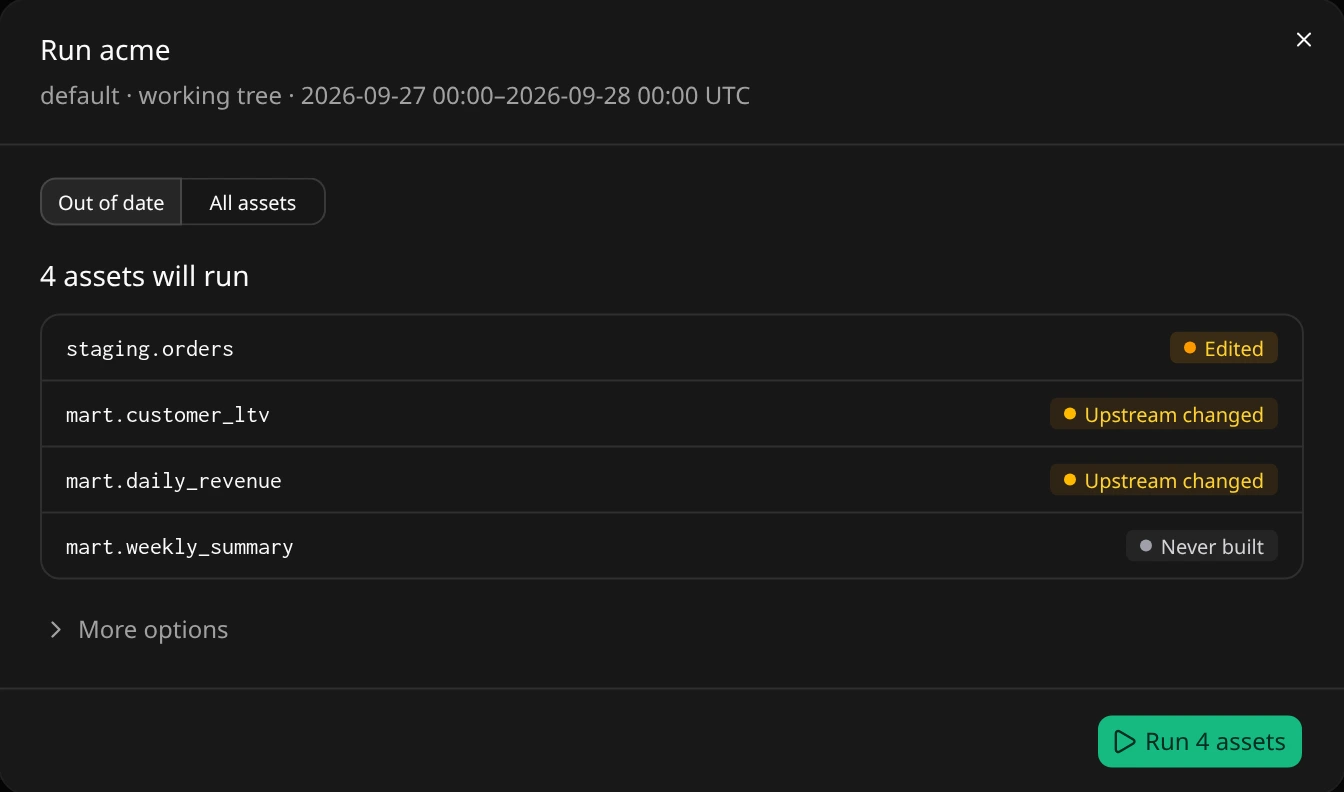
Section titled “Rebuild the out-of-date assets”- Choose Review run in the pipeline toolbar. The dialog opens on Out of date and lists the assets that will run, each with its badge.
- To limit the work to part of the pipeline, open More options, enter a filter under Only assets matching and choose Apply.
- If a problem is listed, choose View source to fix it first.
- Choose Run N assets.
Nothing executes until you confirm. If some of the planned work became fresh in the meantime, the confirmed run leaves it out; it never adds work you did not review.
Build one asset with stale upstreams
Section titled “Build one asset with stale upstreams”If you materialize a single asset whose upstreams are out of date, Renart asks first with Upstream is out of date. Building now would read the outdated upstream tables, so the asset would stay stale:
- Build upstreams first builds the asset together with its upstreams.
- Build anyway builds only this asset from the current upstream tables.
- Cancel builds nothing.
Related
Section titled “Related”- The pipeline canvas: follow lineage and read node states.
- Runs & history: inspect what a run did.
- Deployments & scheduling: run a reviewed version on a schedule.